How to Track a Pending Health Insurance Claim in 5 Steps
Waiting on a health insurance claim? Learn how to check its status, understand common claim labels, document updates, and follow up with your insurer without losing track of important details.

What you’ll need
Tap to tick things off before you start.
Check What Your Pending Claim Status Actually Means
Open your insurer's official member portal and look for the claim associated with your medical appointment. In the example shown, an October 12 visit still displays an orange Pending status several weeks later. This does not automatically mean the claim was denied or approved for payment. Before contacting anyone, note the service date, provider name, and displayed status. These details will help you ask specific questions during your follow-up.

Understand What a Pending Claim Actually Means
Follow the claim workflow shown in the illustration, from Submitted and Received to Pending Review and Processed. The highlighted stage indicates that processing is not yet complete. Your insurer may be reviewing the claim, handling routine administrative work, or waiting for additional information. Notice that Denied appears separately because pending does not automatically mean rejection. Status labels vary by insurer, so check your member portal for specific explanations.

Create Your Five-Step Insurance Claim Tracking Plan
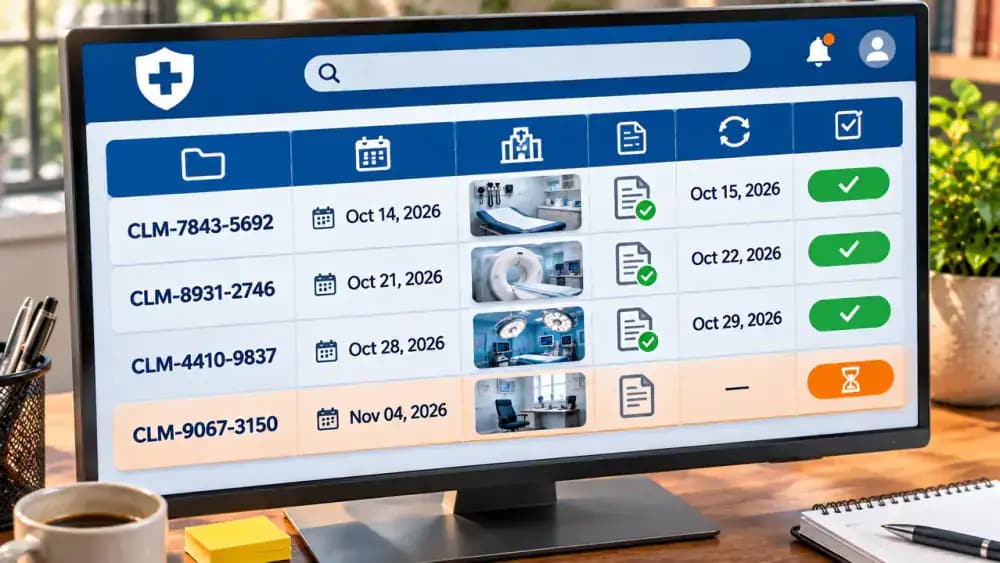
Use the five-item checklist shown on the screen to organize your claim follow-up. Start by locating the claim, then record its details, check its current status, identify missing information, and schedule your next follow-up. Create a tracking table with columns for claim number, service date, provider, status, next action, and follow-up date. Keep everything in one securely stored document so you can easily review updates without starting over.

Organize the Documents You Need to Find Your Claim
Place your health insurance card, appointment confirmation, provider billing statement, and claim notices into a dedicated folder, as shown. Separate the documents by category so you can quickly find what you need. Confirm the appointment date and provider name, especially if you have multiple medical claims. Keep the folder in a secure location, protect personal identifiers, and have the relevant paperwork nearby when accessing your insurer's official member portal.

Sign In to Your Insurer's Official Member Portal
Use the website printed on your insurance card or a trusted bookmark to open your insurer's official member portal. On the tablet shown, select Member Sign In, enter your credentials, and complete any requested identity verification. Keep passwords and verification codes private. After signing in, look for Claims, Claim History, or Medical Claims in the dashboard menu. Avoid unfamiliar email links that could lead to fraudulent websites.

Filter Your Claim History by Patient, Date, and Provider
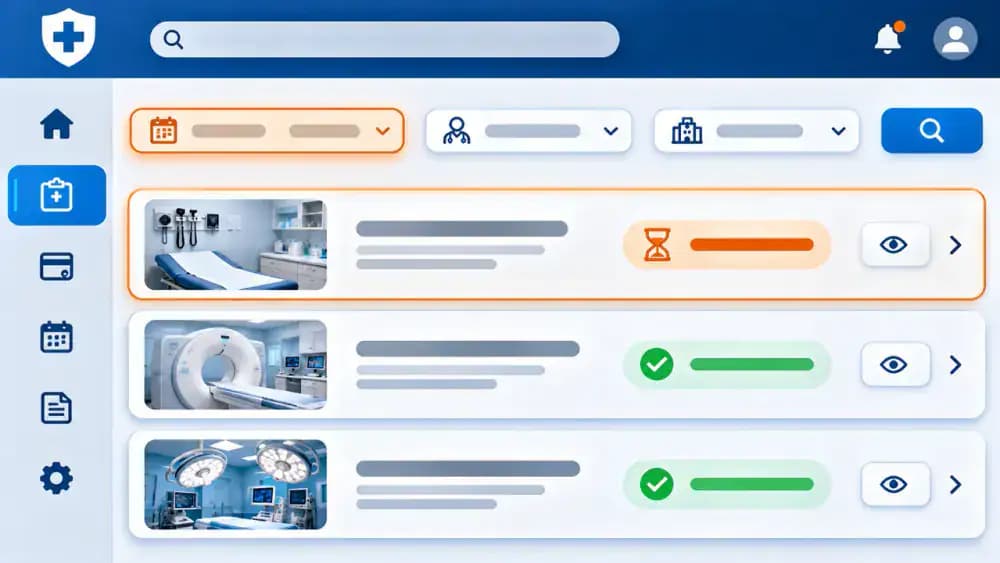
In the Claims History section, select the correct patient if your insurance covers multiple family members. Use the Service Date filter to enter October 12, as shown in the example, then narrow the results by choosing Riverside Family Clinic. The list should display the matching claim with its current status. If no claim appears, double-check your filters and contact your provider's billing office to confirm submission.
Contact Your Provider's Billing Office if the Claim Is Missing
If your search shows No Matching Claims Found, first verify the patient, service date, and provider filters. Try removing the provider filter because claims sometimes appear under a billing company or facility name. If the claim remains missing, contact your provider's billing office using an official phone number. Ask whether the claim was submitted, when it was sent, and which insurer received it. Record the answers for future reference.

Verify That Your Insurer Actually Received the Claim
Review the provider's submission confirmation, noting the October 15 submission date and masked reference number in the example. Compare these details with your insurer's records. A provider confirming submission does not necessarily mean the insurer has received the claim. If receipt remains unconfirmed, contact your insurer through an official channel and provide the available reference details. Record the insurer's response, including any confirmation number and the date of contact.

Copy the Correct Claim Number Into Your Tracking Log
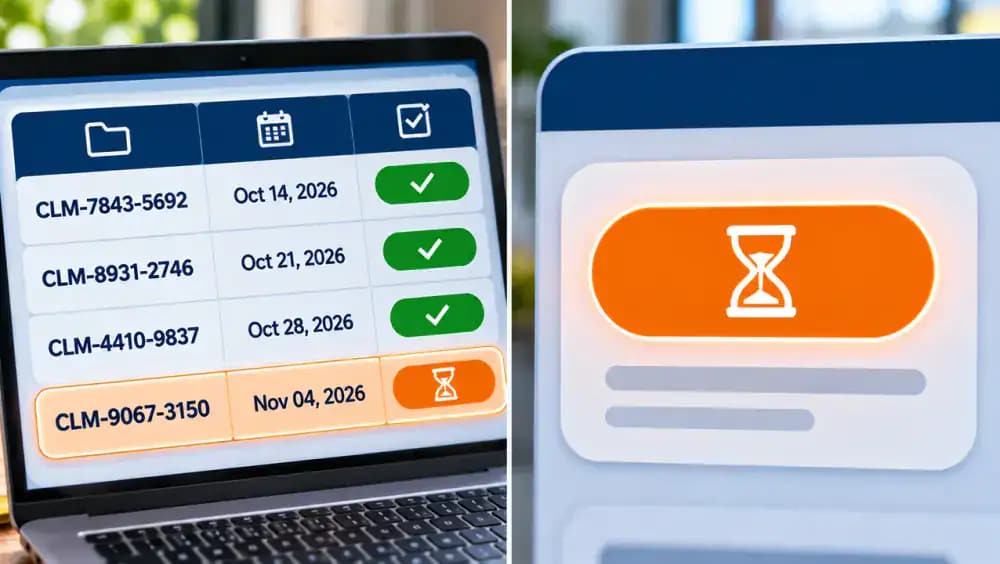
Find the unique claim number on your insurer's claim summary or correspondence. In the example, the partially masked number CLM-XXXX-4821 appears beside Riverside Family Clinic and the October 12 service date. Copy these details carefully into your tracking notebook. Check that you have recorded the insurer's claim number, not the separate provider account number on your medical bill. Keeping both identifiers clearly labeled prevents confusion during future calls.

Record the Three Dates That Show Your Claim's Progress
Add three separate dates to your tracking log: when you received medical care, when your provider submitted the claim, and when the insurer last updated its status. The example timeline shows October 12 for service, October 15 for submission, and Unknown for the latest update. Never estimate missing dates. Keeping these milestones separate helps you identify gaps, compare information, and ask more precise questions during follow-up calls.

Create a Spreadsheet to Track Every Claim Update
Open a spreadsheet and create the eight columns shown: Claim Number, Provider, Service Date, Submission Date, Current Status, Last Checked, Next Action, and Follow-Up Date. Enter each claim on a separate row. The fictional example includes Riverside Family Clinic, October 12, October 15, and Pending. Leave unconfirmed details blank or mark them Unknown. Store the file securely, restrict access, and update the appropriate row after every insurer or provider contact.
Copy the Insurer's Exact Status Wording Into Your Log
Open your claim details and read the status exactly as displayed. In the example, the insurer's fictional portal shows Pending Review, a Last Updated value of Unknown, and the message Processing in Progress. Copy each entry into the corresponding tracking log field without changing the wording or guessing what it means. Preserving the original terminology helps you compare future updates and discuss the claim accurately with an insurance representative.
Know the Difference Between Submitted and Received Claims
The illustration shows a provider sending a claim electronically, followed by a separate insurer acknowledgment. Submitted generally means the provider has sent the claim, but it does not confirm the insurer received or accepted it. Received indicates the insurer has acknowledged getting the claim. If your records show only Submitted, contact your insurer through an official channel to verify receipt. Record the confirmation date and any reference number provided.

Check Why Your Claim Is Still Pending or Under Review
A Pending, In Process, or Under Review status generally means your insurer has not finished processing the claim. The illustration shows three possible explanations: routine processing, additional information needed, or ongoing review. These are possibilities, not confirmed reasons. Open the Messages and Requests section to check for updates. If no explanation appears, contact your insurer and ask what is preventing completion and whether any action is required.

Identify What Information Your Insurer Needs
Open the Additional Information Requested notification in your insurer's official member portal and select View Request. In the fictional example, the insurer requests corrected billing details from the Provider Billing Office, while the response date requires confirmation. Record exactly what is needed, who must provide it, and any confirmed deadline. Contact the responsible party for clarification, and never submit sensitive medical or billing records through unverified links.

Ask the Provider's Billing Office About Missing Claim Details
Call your medical provider's billing office using its official phone number. Have your claim reference and the insurer's information request ready. As shown in the example, ask whether the office received the request, which department is handling it, and when you should follow up. Record each answer on your question sheet. Leave unconfirmed details marked accordingly, and do not assume corrected information has been submitted until the provider confirms it.

Assign Responsibility and Track Unconfirmed Billing Corrections
Update your tracking log to show exactly what needs attention and who is responsible. In the example task board, Corrected Billing Details is assigned to the Provider Billing Office, but submission remains Not Yet Confirmed. Record the submission date as Unknown and set the next action to Confirm Submission With Provider. Keep the task open until you receive confirmation, and document any new information without assuming the correction is complete.

Review Processed and Denied Claims Without Assuming the Outcome
Compare the two claim outcomes shown in the illustration. Processed means the insurer completed a review step, but it does not guarantee payment or a zero balance. Check the payment details and Explanation of Benefits, which is not a bill. If the status says Denied, open the insurer's explanation and read the stated reason. Record the exact status and explanation, then contact your insurer through official channels for clarification.

Understand Your Explanation of Benefits
Find the Explanation of Benefits (EOB) associated with your claim and review each amount carefully. In this fictional example, Riverside Family Clinic billed $250, the insurer allowed $180, insurance paid $140, and estimated patient responsibility is $40. Use a reading ruler to follow each line, then compare the provider and October 12 service date against your claim tracking record. Remember, an EOB is not a bill. Contact your insurer about unfamiliar charges or discrepancies.

Prepare for a Focused Insurer Call
Gather your claim number, service date, provider name, Explanation of Benefits, and tracking log before contacting your insurer. Arrange these documents beside your phone and write down three questions: What is the current status? Is anything missing? Who needs to act next? Find the official member services number on your insurance card rather than relying on search results. Keep a pen ready to record the representative's name, reference number, and next steps.

Ask the Insurer the Right Questions
Call your insurer's member services department and explain that you are following up on a pending claim. Complete any required identity verification before sharing your claim number and service date. Ask the representative to confirm the exact status, identify any missing information, and explain who must take action next. Before hanging up, request a call reference number and recommended follow-up date. Record these details in your tracking log for future reference.

Record Your Insurance Call Details and Next Steps
Open a secure notes app immediately after your insurer call and record the date, department, representative's name if provided, and call reference number. Add the reported claim status, any outstanding information, the party responsible for the next action, and the recommended follow-up date. Mark anything unconfirmed as unknown rather than assuming it is resolved. Save the note in an access-protected folder and update your claim tracking log for consistency.

Request Written Claim Confirmation and Save a Copy
Ask your insurer whether it can send a written claim update through its secure member portal. When the message arrives, open it and compare the reported status, requested information, and responsible party against your call notes. Check whether a follow-up date was confirmed, and mark missing details as unresolved. Download the message into your protected Insurance Confirmations folder, using a descriptive filename with the claim date for easier retrieval later.

Schedule Your Next Insurance Claim Follow-Up
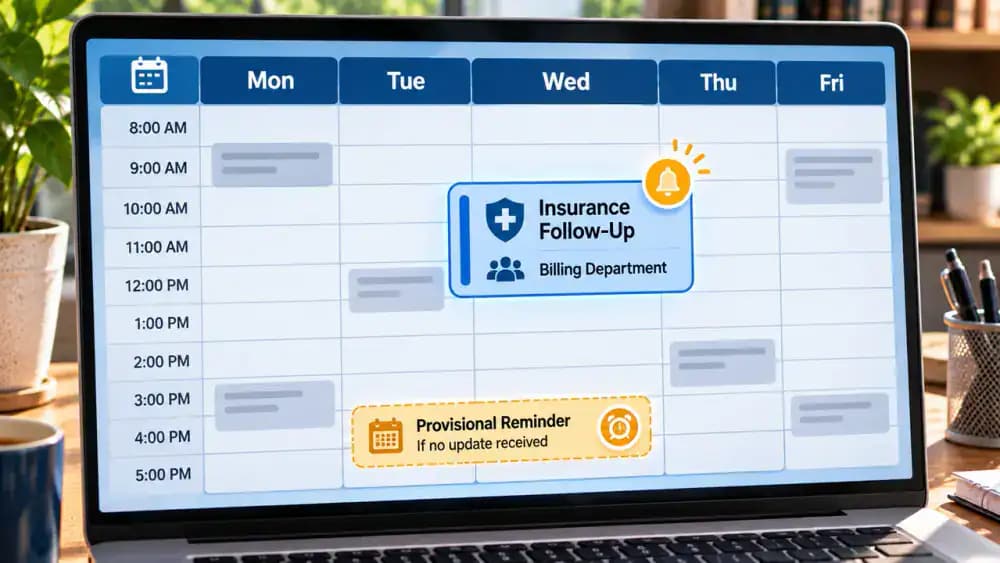
Open your digital calendar and create a reminder using the follow-up date recommended by your insurer or provider's billing office. Include the claim reference, department to contact, and specific unanswered question. Enable a notification so the task does not get overlooked. If nobody confirmed a date, request guidance and label any temporary reminder as provisional. Remember that a scheduled follow-up is not a guaranteed claim processing deadline.
Organize Your Insurance Claim Documents in a Protected Folder
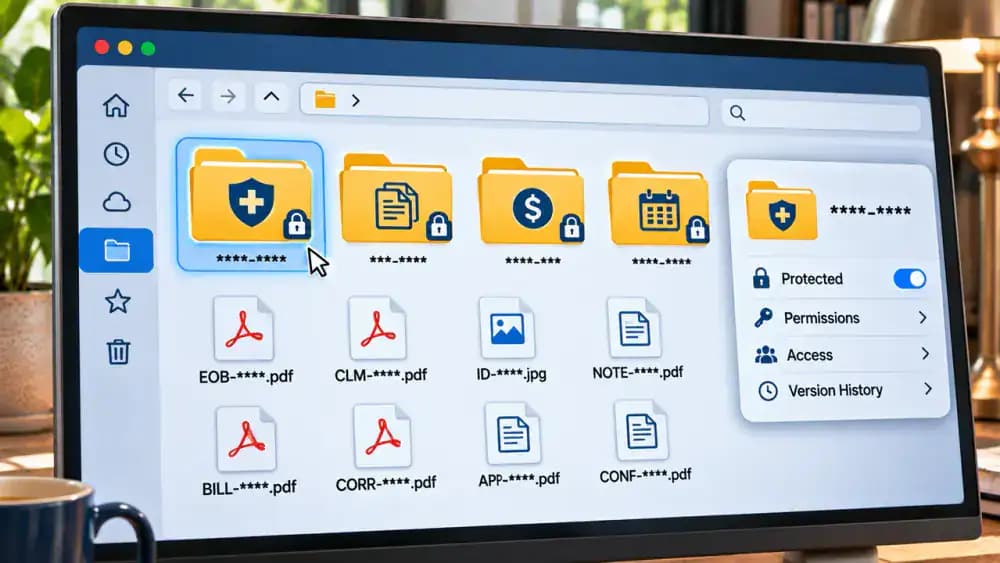
Create a dedicated Health Insurance Records folder with a separate subfolder for your pending claim. Organize claim notices, Explanation of Benefits documents, provider bills, call notes, and written confirmations into clearly labeled categories. Rename files consistently using dates and document types, such as 2026-11-14-Call-Notes.pdf. Avoid placing names, member IDs, or other sensitive details in filenames. Review folder permissions, restrict access to authorized users, and maintain a secure backup.
Check Your Claim Tracking Log for Errors and Missing Details
Review your claim tracking worksheet against the saved claim summary, provider statement, status notice, and contact record. Check that the claim number, service date, provider, and current status match the original documents. Correct any transcription errors using verified information. For outstanding requests, identify the responsible department and required next action. Leave unconfirmed details marked unknown, and flag them for clarification during your next follow-up instead of guessing.

Keep Your Insurance Claim Tracking Routine on Schedule
When your scheduled reminder appears, open your insurer's portal and review the latest claim status before making another call. Compare the current status with your previous tracking entry, record the date checked, and document any new information requests. If the claim still shows Pending Review, mark the status as unchanged and contact the assigned department. Record its response, update your next action, and keep the claim open until resolution is confirmed.

Escalate Unresolved Insurance Claims Through Official Channels
If repeated follow-ups leave your claim unresolved, visit your insurer's official member assistance page and review the available escalation options. For a pending claim, request supervisor review or prepare a written inquiry using your claim reference, previous contact number, and a concise issue description. Save a copy of your request and track its status. If the insurer has issued a decision, review applicable appeal procedures and deadlines. Outcomes are not guaranteed.

Check All Five Claim Tracking Tasks Before Your Next Follow-Up
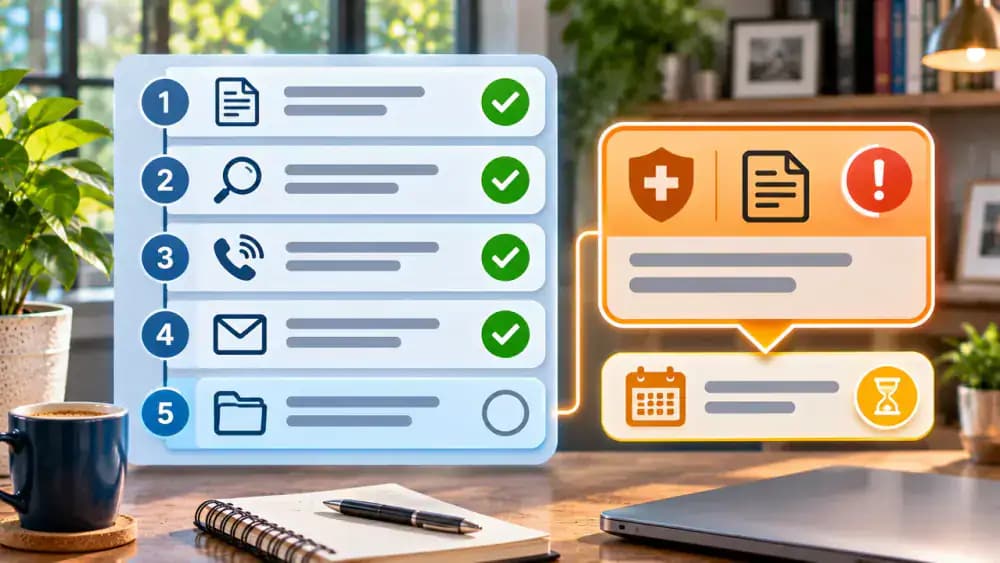
Review your five-item checklist to confirm that you located the claim, recorded its number and service date, documented the insurer's exact status, identified outstanding requests, and scheduled your next follow-up. Check each completed task against your tracking log and keep written confirmations securely stored. If the claim remains Pending Review, leave it marked open and note who must act next. Completing your checklist improves recordkeeping but does not guarantee claim approval or payment.
Keep Your Insurance Claim Organized Until It Is Resolved
Review your claim tracking summary and confirm that the current status, responsible department, and next action are clearly recorded. Keep the claim marked Pending Review until the insurer provides an updated decision. Store your documents securely, follow confirmed instructions, and maintain scheduled follow-ups. For unresolved coverage disputes, use official insurer assistance channels or seek qualified help. Tracking cannot guarantee approval, payment, or processing deadlines. Seek qualified medical care for urgent health concerns.

It's been weeks since your doctor's appointment, but your health insurance claim still says "pending." You check your insurance account again, hoping for an update, only to find the same status staring back at you. Does that mean something went wrong? Is your insurer waiting for paperwork? Will you have to pay the bill yourself? The uncertainty can be frustrating, especially when you don't know whom to contact or what to ask. Fortunately, a pending claim doesn't automatically mean your insurance has denied coverage or approved payment.
The best way to handle a pending health insurance claim is to stop guessing and start tracking. With a simple five-step system, you can locate your claim in your insurer's online portal, understand what its status means, record important details, and follow up with the right people. You'll also learn how to keep your records organized and set useful reminders. While no tracking method can guarantee approval, reimbursement, or a specific processing time, it can help you stay informed and take the next appropriate action.
Where people go wrong
Assuming a Pending Claim Means It Was Denied. A pending status does not automatically mean your insurer has denied the claim or approved payment. It may still be under review or awaiting information. Check the exact status in your insurer's official portal and ask for clarification before making assumptions about coverage or reimbursement.
Overlooking a Claim That Was Never Received. If a claim does not appear in your online account, do not assume the insurer is processing it. Search by service date and provider first. If you still cannot locate it, contact the provider's billing office to confirm whether and when the claim was submitted.
Calling the Insurer Without Recording the Details. Repeated phone calls become less useful when you cannot remember what was discussed. Record the claim number, call date, representative's reference number, missing information, and next steps. Ask who is responsible for providing any requested documents, and save written confirmations securely for future follow-ups.
Confusing an Explanation of Benefits With a Medical Bill. An Explanation of Benefits shows how your insurer processed a claim, but it is not a bill requesting payment. Review it alongside any statement from your medical provider. If the amounts or coverage decisions are unclear, contact your insurer through official channels before drawing conclusions.

Questions people ask
Processing times vary by insurer, claim type, and whether additional information is needed. A pending status does not guarantee approval or indicate when processing will finish. Check your insurer's official portal for updates, contact customer service for claim-specific guidance, and schedule your next follow-up based on the information provided.
Fixed it?
Get one guide like this every Thursday.